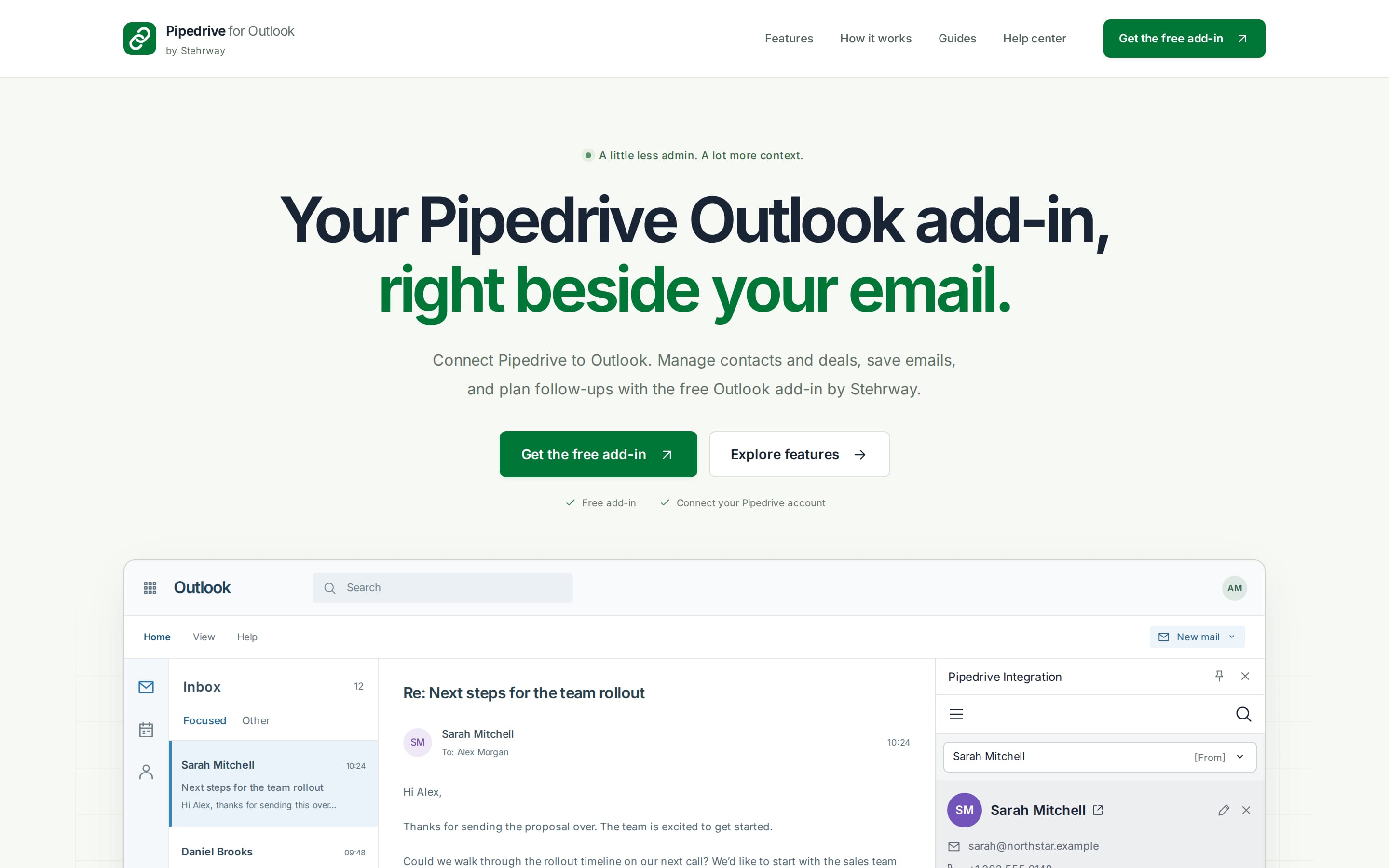
Many sales teams keep their pipeline in Pipedrive and their conversations in Outlook, and spend part of every day moving between the two: looking up who sent an email, checking where the deal stands, copying the important parts into a note. Pipedrive users have asked for an Outlook integration for that work, and Pipedrive itself does not provide one. We developed the Pipedrive Integration for Outlook to fill the gap, and we offer it free of charge.
- Available
- August 2026
- Works in
- Outlook on the web, Windows and Mac
- Install from
- Microsoft Marketplace
- Price
- Free, for every user
Pipedrive beside every email
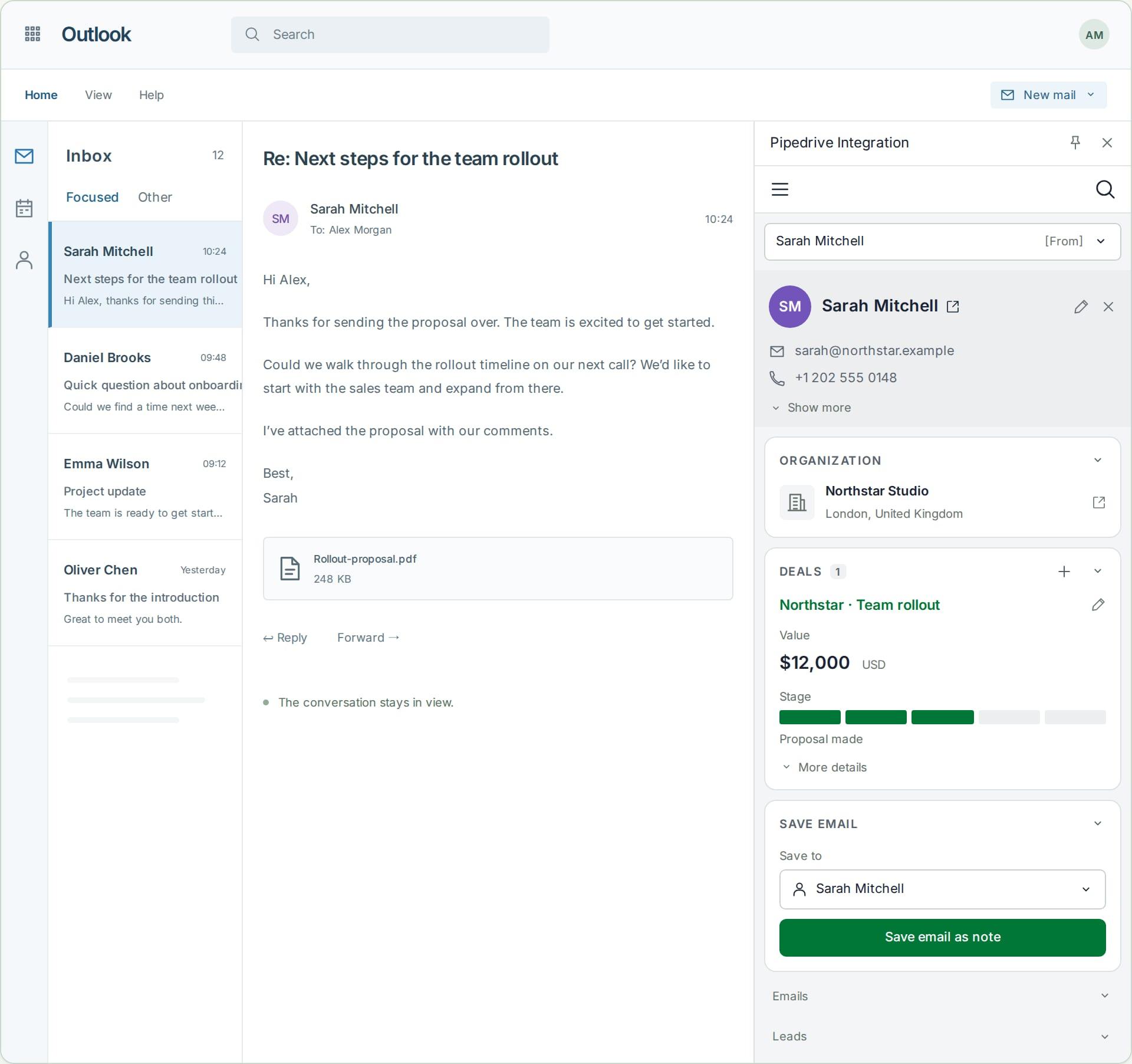
The integration is an Outlook add-in. Open an email and it shows the person behind it as Pipedrive knows them, with their organisation, their open deals and the work linked to them, in a sidebar next to the conversation. What a salesperson needs before replying is on the same screen as the reply.
What it does
- Contacts and organisations: find the sender in Pipedrive, switch to other people on the email, create a contact or add an email address to an existing one.
- Deals and leads: review a deal before replying, change its stage, mark it won or lost, and create leads and convert them into deals.
- Emails and attachments: save an opened email as a note on a contact, organisation or deal, even one outside the thread, and save supported attachments to Pipedrive.
- Activities and notes: plan the follow-up as an activity, mark it complete when it is done, and create and pin notes on contacts and deals.
The add-in does not copy a whole mailbox into Pipedrive. Each user decides which emails to save and where; optional logging of sent emails works for matching Pipedrive contacts where Outlook supports it.
Connecting your Pipedrive account
Each user connects their own Pipedrive account through Pipedrive’s sign-in page, so no password is ever entered into the add-in. The integration reads and updates CRM data in Pipedrive on the user’s behalf and does not store it on our servers. Where an organisation allows individual add-ins, anyone can install it from Microsoft Marketplace; otherwise a Microsoft 365 administrator can deploy it for the team. It is also listed in the Pipedrive Marketplace.
The integration is free for every user, with no paid plans, trials or seat limits. It needs a Pipedrive account and a compatible Outlook account, each with its own plan. It is an independent product of Stehrway and is not affiliated with Pipedrive or Microsoft.
Part of the same work
We develop the integration with the same care as the systems behind the websites we develop: connecting the tools a team already uses, so information reaches the right record without being copied by hand. Its website explains each workflow with guides and a help centre.